E-commerce · Selestial
Selestial: from a silver collection to the product details
Selestial presents a collection of 925 sterling silver jewellery. My contribution was website development. This walkthrough follows the public experience from discovering a collection to understanding a single piece.
- Project
- Selestial
- Contribution
- Website development
- Focus
- Collection discovery · Product information · Purchase paths
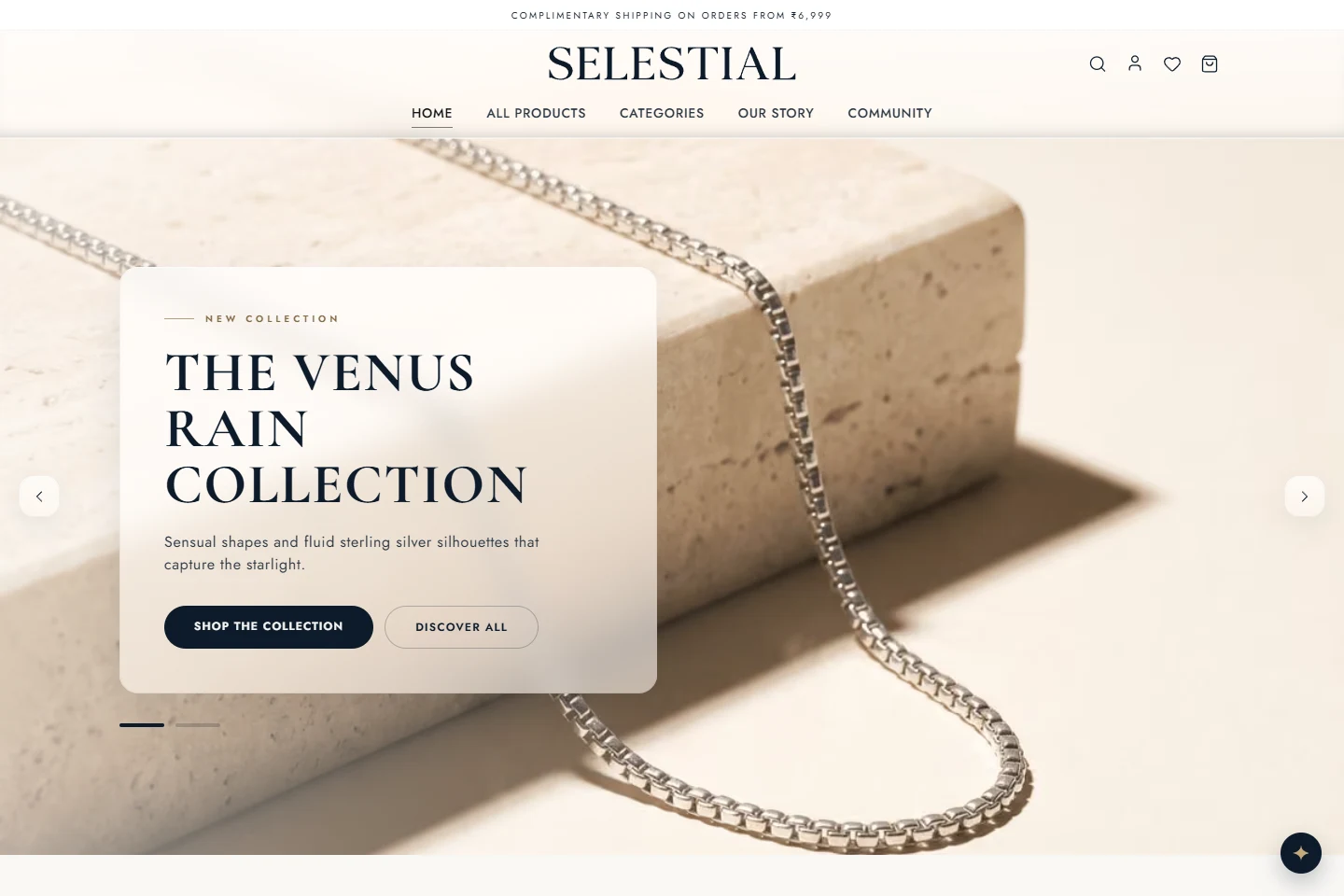
The website has two jobs
Jewellery is a visual purchase, but a photograph cannot answer every question. A visitor also needs to understand the material, the fit, the price, and what happens after an order.
The interesting website problem is the handover between those two modes: give the collection room to make an impression, then make the practical details easy to find. I look at this project through that visitor journey rather than treating the homepage as the whole experience.
Start broad, then narrow the choice
The public navigation separates rings, earrings, chains, bracelets, pendants and sets. There is also an all-products route, so a visitor can browse the full catalogue without first choosing a category.
On the collection page, product names, prices and availability appear together. Availability and sorting controls provide another way into the catalogue. Individual cards link to a dedicated page for each piece.
- Category links support shoppers who already know the kind of piece they want.
- The full collection gives browsing visitors a wider starting point.
- A consistent product-card pattern makes the next step predictable.
Give the product page a useful second layer
The sampled product page brings together the piece name, price, stock status and an add-to-cart control. Below that, it separates the description, specifications, material information, and shipping and returns.
That separation matters. Someone checking the look of a ring and someone checking its material are asking different questions. The page can serve both without forcing every detail into the first screen.
The material copy identifies sterling silver and the surface finish. Shipping and returns information is available on the product page and through a dedicated policy link. These are observable parts of the public website, rather than assumptions about the checkout or fulfilment system.
The development lesson
For a storefront, clarity comes from the relationship between screens. A category label should lead somewhere useful; a product card should open the expected piece; a purchase action should sit near the information needed to make the choice.
This project is a useful example of website development that connects presentation with detail. The catalogue, individual product routes and supporting information give the visitor several ways to inspect the offering before taking the next step.
- Keep naming consistent between navigation, collection cards and product pages.
- Treat specifications and policies as part of the product experience.
- Review the full browse-to-product path, as well as the homepage.
Explore the public website
Follow the routes described in this walkthrough. External links open in a new tab.
YOUR NEXT PROJECT
Planning an online store?
Start with your catalogue, the questions customers ask before buying, and the systems the store needs to connect to.